
The driver app
Your whole log, on the phone you already carry.
One app for Android and for iPhone — drivers run different phones, and nobody gets left out. Everything below works the same on both.
The screens
Five screens. That's the job.
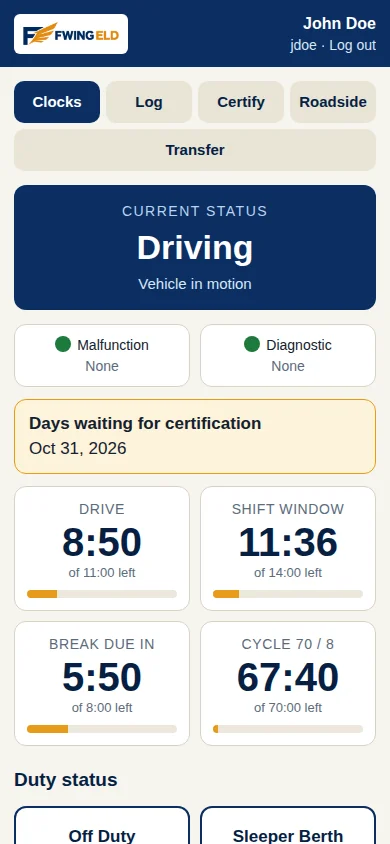
Your clocks
Your current duty status and your four clocks — drive, shift window, break, week — big and glove-friendly. Two warning lights sit at the top: one for the device, one for your data. Green means nothing needs you.
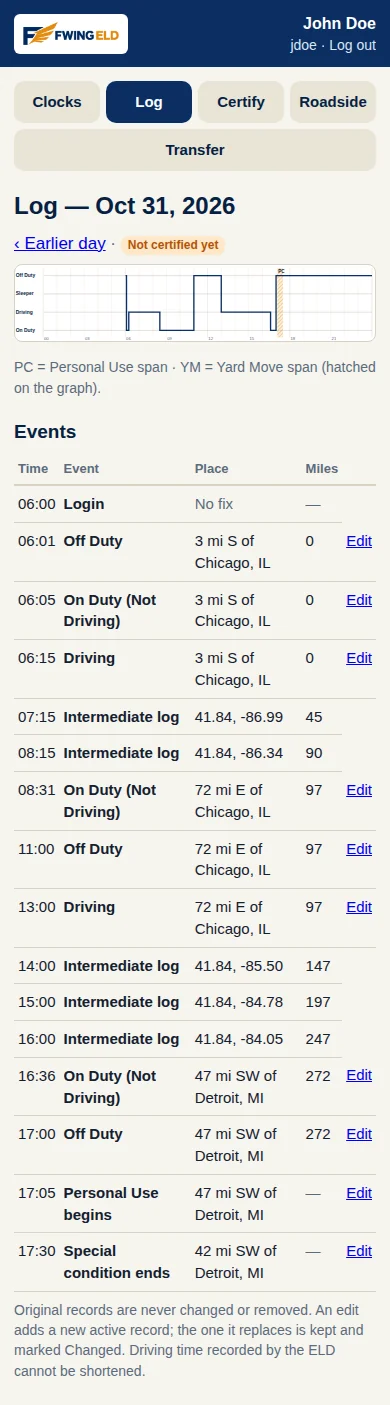
Your day, drawn out
The day's graph, the way officers read it, with every event under it: times, places, miles. Any day in the last six months opens the same way. Personal-use and yard-move driving show hatched on the graph, marked for what they are.
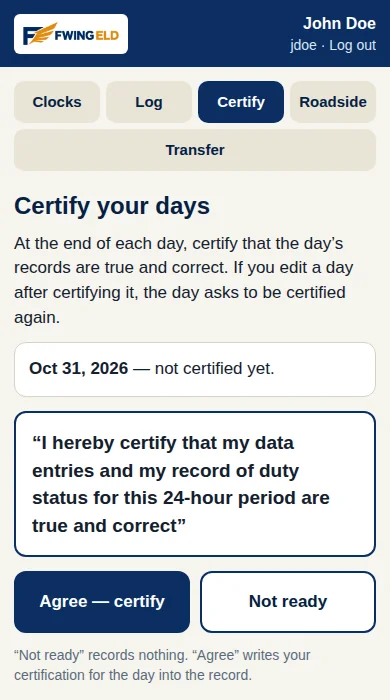
Sign your day
At the end of the day you agree that your records are true and complete, and sign with one tap. If you need to fix a day you already signed, the fix flags the day for a fresh signature — the rules ask for that, so the app does it.
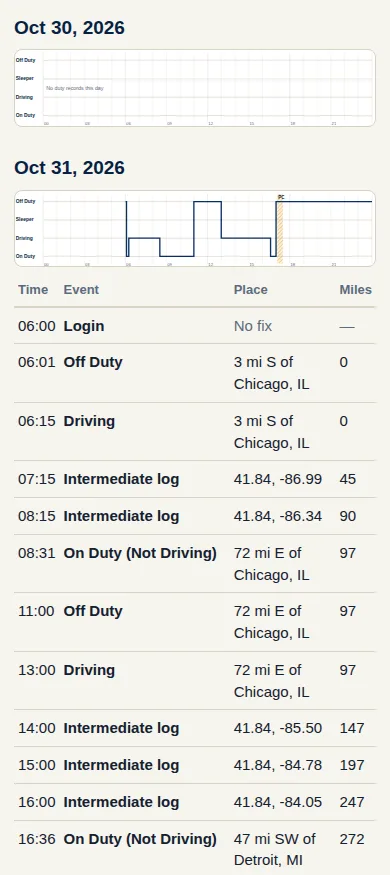
Built for the inspection
One screen made to hand to an officer: a graph for today and for each of the seven days before it, with the day's events listed under the graph. Nothing in it needs explaining.
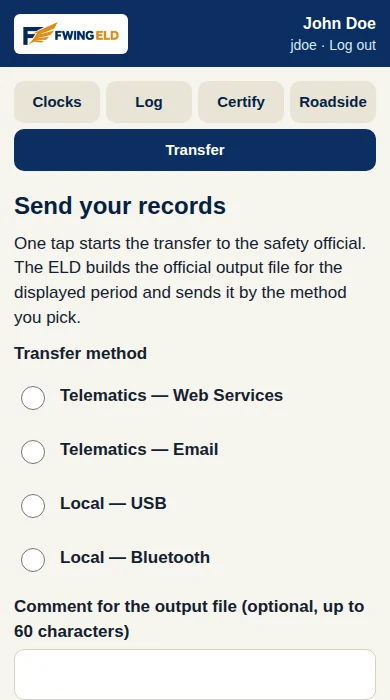
Send the file
When the officer wants the records sent, pick web services or email and tap once. The app builds the official output file — every record for the period, sealed with its check values — and sends it.
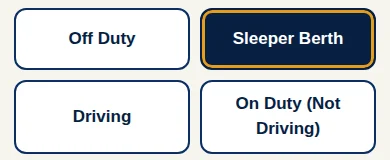
One-tap duty status
Off duty, sleeper berth, driving, on duty — big buttons, one tap each. If your carrier allows them, personal use and yard move are right there too. While the truck is moving, the app stays out of your way: your own status change is the one thing it accepts.
These are the app's real screens, the way drivers see them — nothing here is a mock-up.
Team mode
Two drivers. One truck. Two separate logs.
Team driving is where most logs get tangled, so FWING ELD handles it head-on. Both drivers sign in on the same device and both stay signed in. The driver at the wheel owns the driving time — the truck's motion writes to his log only. The other driver rests on his own clocks, and his partner's miles never touch them.
Swapping is one action at a stop: the first driver's driving ends in his own log, and the second driver's begins in his. Each man certifies only his own day. And if a stretch of driving ever lands on the wrong driver's log, the two of you fix it together — one proposes the move, the other confirms it, and the total driving time between you is exactly what it was.
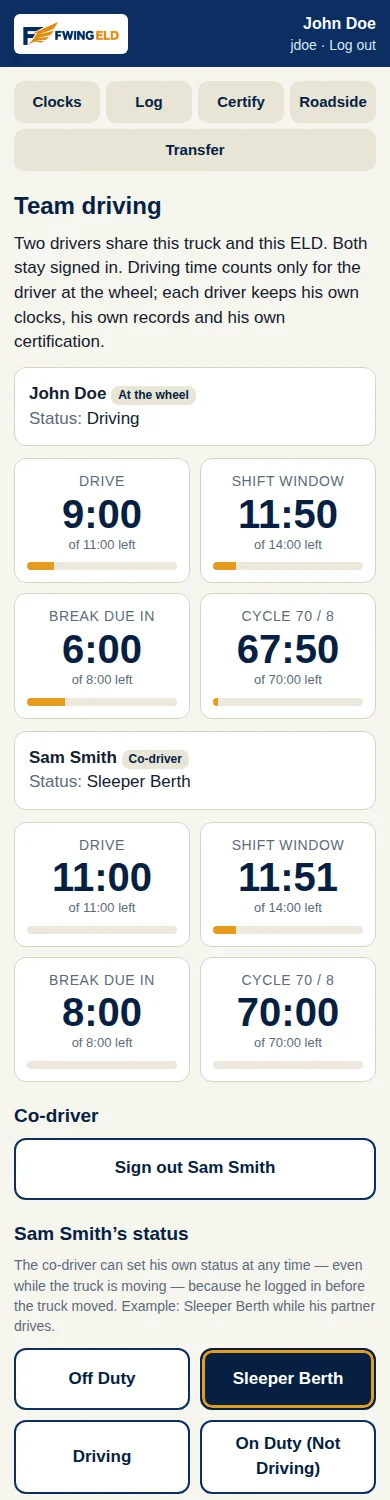
The details that matter
Small things, handled the right way.
- Driving starts itself. Past 5 miles per hour, you are driving — the app records it whether or not you remembered to tap anything.
- Unidentified driving is never lost. If the truck moves with nobody signed in, those miles wait in their own place. Sign in and the app asks whether they are yours. Claim them, or leave them for the office to sort out.
- Split rest, explained. Take half of a split-sleeper rest and the clocks show the honest halfway numbers — and the screen tells you, in plain words, what the second half will give back when you complete the pair.
- Edits keep the original. Fix a status or add a note and the first version stays, marked as changed. You can always show what the record said before.
- Works with no signal. The full log lives on the device. Coverage is for syncing, not for recording.